Framer or Webflow for a SaaS marketing site?
For most early SaaS teams, Framer is quicker to build in and easier to keep editing. Webflow wins on large content sites, control over code and ecommerce.

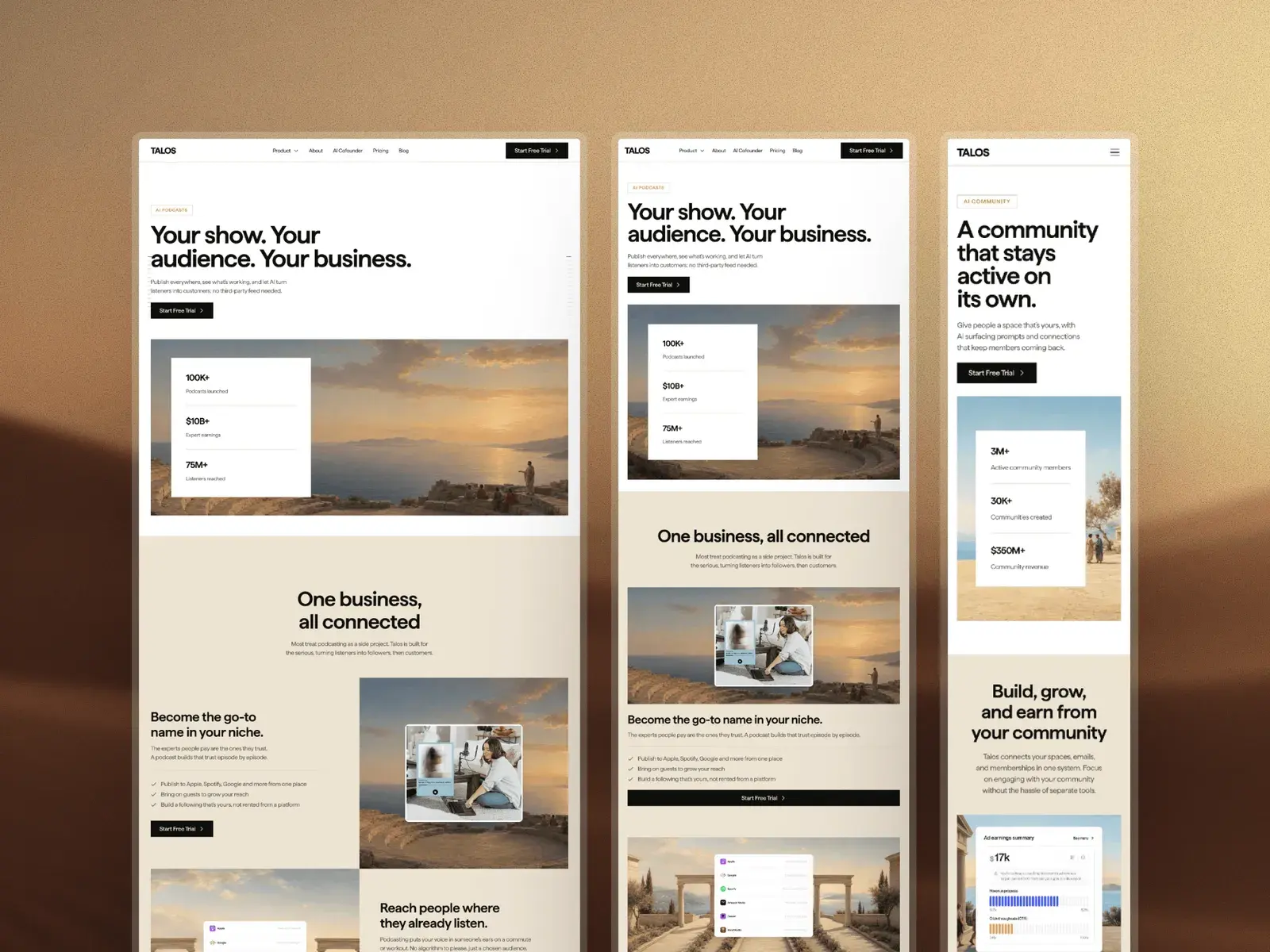
For most early SaaS and AI teams, where a founder or a designer runs the website, Framer is the quicker tool: quicker to build in, and quicker to change once the site is live. Webflow is the better choice when you need a large CMS, close control over the code, or a team that already knows it.
One thing to know first: this blog sells Framer templates, so weigh what follows with that in mind. Where Webflow is the better tool, I say so.
The short version
- Framer suits a founder or designer who wants a marketing site live quickly and to keep changing it without a developer.
- Webflow suits large content sites, teams that think in HTML and CSS, and anyone selling products on the site.
- A SaaS site with a blog starts at $10 a month on Framer Basic and $25 on Webflow Premium, billed yearly. With redirects and staging, it is Framer Pro at $30 against Webflow Premium at $25.
- You can switch later in either direction. The content moves; the design gets rebuilt.
Framer or Webflow: which suits your situation?
| If you are | Choose | Why |
|---|---|---|
| A solo founder launching quickly | Framer | Pages are laid out on a canvas, and Basic includes your own domain and a small CMS for $10 a month, billed yearly. |
| A design-led team | Framer | Designers work as they do in a design tool and publish without a developer. |
| Running a site with 2,000 or more CMS items | Webflow | Premium includes 20,000 items. Framer Pro includes 2,500 and charges for more in blocks of 10,000. |
| An agency handing sites to clients | Either | Framer is easier for clients who only change words and pictures. Webflow suits agencies with developers, and its freelancer and agency workspaces include a free client seat per paid site. |
| Selling products on the site | Webflow | It has its own ecommerce plans. Framer's pricing page lists none, so you would connect another service. |
| Building logged-in areas or app logic | Neither, mostly | That belongs in your product, though Webflow Cloud can host web apps beside a Webflow site, which counts in its favour. |
Which is easier to build in?
The editor
Framer works like a design tool. You draw on a canvas, stack layers and see the page as visitors will. Webflow is built from the web's own parts: elements, classes and the box model.
If you come from Figma, Framer will feel familiar quickly. If you know CSS, Webflow will, and it gives you more exact control in return. Framer's own comparison page credits Webflow with its class-based design systems and deeper developer tooling.
Breakpoints
In Framer, tablet and phone are their own layouts, which inherit from the desktop layout until you change something on them. A change made on the phone layout stays on the phone.
In Webflow, styles cascade from desktop down to tablet (991px and below) and two phone sizes (767px and 479px), and up to optional 1280, 1440 and 1920px breakpoints. Checking breakpoints covers what to look at in Framer before you publish.
Animation
Framer has appear, scroll and hover effects built in, plus component variants for interactive states, all set up without code. Webflow's Interactions run on GSAP, with a timeline for sequencing several steps.
For the fades and scroll reveals most marketing sites use, Framer gets there faster. For long, choreographed sequences, Webflow's timeline gives you more to work with.
Components
Both have reusable components with properties and variants, so a pricing card or a testimonial is built once and used everywhere. Both let developers add code components too, on Webflow from the Premium plan. Call this one a draw.
Who can edit the site after launch?
This is where Framer is strongest for a small team. A content editor can change words, pictures and CMS entries on the page itself, without touching the design. That seat is $10 a month and a full editor is $20, billed yearly, and Basic and Pro allow up to 10 people with edit access.
Webflow has the same idea: limited seats for content at $15 a month and full seats at $39, billed yearly. The risk in Webflow is the class system. A style belongs to every element with that class, so a well-meant tweak to one button can restyle every button on the site.
That is a strength in a trained team and a trap for an occasional editor.
Staging matters once more than one person publishes. Framer has a staging environment on Pro only, so on Basic every publish goes straight to the live site. Every Webflow site can publish to its webflow.io address first and to your domain when you are ready.
How many CMS items do Framer and Webflow allow?
Framer Basic has 2 CMS collections and 1,000 items. Pro has 10 collections and 2,500 items, and add-ons take it to 40 collections and 40,000 items. Webflow Basic has no CMS at all, and Premium has 40 collections and 20,000 items.
For a typical SaaS site, with a blog and a changelog, that is plenty either way. Where it matters is a template's own collections.
Nixa uses one, for its blog, so it fits on Framer Basic. Talos uses three (articles, team and legal), one more than Basic allows, so it wants Pro, unless you turn its two legal entries into ordinary pages.
If you plan thousands of entries, such as programmatic pages, Webflow gives you more for the money, and Framer's own comparison page says as much. How CMS collections work explains the Framer side.
Is Framer or Webflow better for SEO?
Both handle the basics, and neither will rank a site on its own. The differences are in the details.
- Meta tags. Both let you set a title and description for every page, and build them from an entry's fields on CMS pages.
- Sitemaps. Framer generates a sitemap for every published site and keeps it current. Webflow generates one when you switch it on in the SEO settings.
- Redirects. Framer has redirects on Pro only. Webflow has 301 redirects on both paid site plans. If you are replacing an old site whose pages already rank, this decides the plan.
- Speed. Both serve sites from a global network: Framer from 20 locations on Basic and more than 300 on Pro, Webflow through Cloudflare. What you put on the page matters more: large images, video and third-party scripts slow either one.
How much do Framer and Webflow cost?
Both charge per site, and both cost less billed yearly.
| Plan | Per month | Pages | CMS | Bandwidth |
|---|---|---|---|---|
| Framer Free | $0, on a Framer address | 1,000 | 10 collections | 1 GB |
| Framer Basic | $10 billed yearly, $15 monthly | 30 | 2 collections, 1,000 items | 50 GB |
| Framer Pro | $30 billed yearly, $45 monthly | 150 | 10 collections, 2,500 items | 100 GB |
| Webflow Starter | $0, on a webflow.io address | 2 | 20 collections, 50 items | 1 GB |
| Webflow Basic | $15 billed yearly, $25 monthly | 300 | None | 10 GB |
| Webflow Premium | $25 billed yearly, $39 monthly | 300 | 40 collections, 20,000 items | 50 GB |
Prices checked October 2026, in US dollars before tax. Framer shows local prices in some countries, so yours may differ.
Neither free plan takes your own domain. For a SaaS site with a blog on your domain, the cheapest options are Framer Basic at $10 a month and Webflow Premium at $25, billed yearly.
Add redirects and staging, and it becomes Framer Pro at $30 against Webflow Premium at $25, so at that level Webflow costs less. Framer's paid plans do include a domain when billed yearly. How much a Framer website costs works out the whole first year.
Should you start from a template?
On either tool, yes, if one fits. A template arrives with the layouts, the breakpoints and the CMS set up, so your time goes on the words. The best Framer templates for SaaS and AI startups goes through nine of them.
Webflow has its own template marketplace, and if you have chosen Webflow, that is where to look. A Framer template will not open in Webflow.
For Framer, two here are made for this job. Talos is for SaaS and AI companies with more than one product: 15 pages, six product pages that share one layout, pricing with a full comparison table and a blog with 13 articles. It is $129 for one site.
Nixa is for AI products that sell to enterprise buyers, with compliance badges in the hero, a security section and a form for booking demos. It is $99. If neither matches what you sell, choosing a template by the job goes through the rest.
Can you move from Webflow to Framer later?
Yes, in either direction, but only part of a site moves. Framer's own migration guide is plain about it: layouts, styles, components, breakpoints and interactions are rebuilt by hand, and forms are set up again.
What you keep is the content and the addresses. Webflow exports each CMS collection as a CSV file, and Framer imports CSV into a matching collection. Going the other way, Framer exports CMS content through plugins, and Webflow imports CSV.
Download the images and files, keep the same URLs where you can, and add redirects where you cannot. Then check every page title and description before you move the domain.
So pick the tool you can picture editing a year from now. For most small SaaS teams that is Framer. For a content-heavy site or a team of developers, it is often Webflow.
Questions people ask
Is Framer good for SEO?
Yes, for a marketing site. Every page gets its own title and description, and Framer generates the sitemap for you. Redirects need the Pro plan, which matters if you are replacing a site whose pages already rank.
Can a Framer site handle a big blog?
For most companies, yes. The Pro plan includes 2,500 CMS items across the site, and a blog that publishes twice a week adds about 100 a year. Add-ons go up to 40,000, but if you expect tens of thousands of entries, Webflow's Premium plan includes 20,000 for less.
Is Webflow harder to learn?
For most people, yes, at first. Webflow asks you to think in elements and classes, the way CSS works, while Framer feels closer to a design tool. If you already write CSS, the gap closes quickly and Webflow's extra control pays off.
Can I move from Webflow to Framer?
Yes. Export each Webflow collection as a CSV file and import it into Framer, then rebuild the pages, styles and interactions by hand. Keep your URLs the same, or add redirects on Framer's Pro plan, so search engines can follow you.