


Building a client's site from a Framer template: licence, transfer and who pays Framer
Which licence covers client work, how to hand the finished site over in Framer, and who pays for the plan, the domain and the editors once it is theirs.

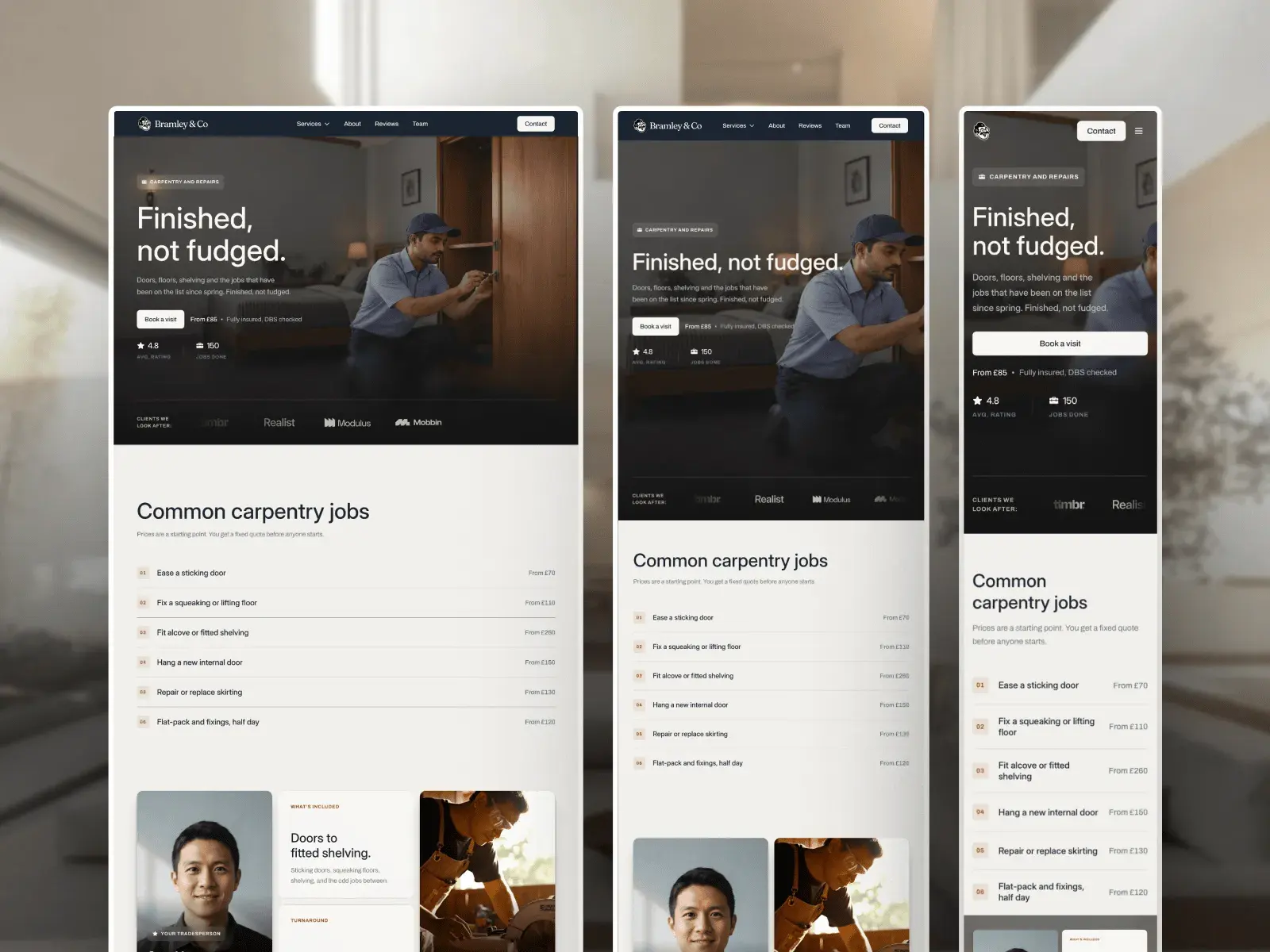
Yes, you can build a client's site from a Framer template, as long as the template's licence covers client work. Build it in your own Framer workspace, then hand it over with Framer's Transfer Project, which keeps the site live and makes the client the owner. From then on the client pays for the Framer plan and the domain, and you charge once for the template and your work.
| Cost | One-off or repeating | Who usually pays |
|---|---|---|
| Template licence | One-off | You buy it, and it goes in the quote |
| Your work: customising, content, handover | One-off | The client, on your invoice |
| Framer site plan | Yearly or monthly, per site | The client, on their own card, once the project is theirs |
| Domain | Yearly | The client. The first year is included with a yearly plan |
| Extra editor seats | Monthly | The client's workspace, for each editor beyond the owner |
| Changes after launch | As agreed | The client, by the hour or on a monthly plan |
The short version
- You can build a client's site from a template if its licence covers client work. Free Framer templates do. A paid Marketplace template covers one site by default.
- Build in your own workspace, then use Framer's Transfer Project. The site stays live and the client becomes the owner.
- The client pays for the Framer plan once the project is theirs: $120 a year on Basic or $360 on Pro, billed yearly, plus the domain from year two.
- Quote the template, your hours and the handover as one-off costs, and list the plan, domain and any editor seats as the client's yearly costs.
Can I use a template for a client's site?
Usually, yes. What decides it is the licence, and the question to ask of it is how many sites one purchase covers.
- Free templates on the Framer Marketplace. Framer's Community Terms give them a Limited Commercial License, which allows client work as long as the template is part of a broader end product, a site you build for them. You cannot resell or share the template itself.
- Paid templates on the Framer Marketplace. The default is a Single-Use Commercial License: one end product or project. The terms rule out using it in more than one website or client engagement, so each client needs its own purchase.
- Openfile templates. I sell mine with two licences, and both allow client work. Standard covers one website, yours or one client's. Pro covers as many websites as you build, for any number of clients.
No licence I have read lets you pass the template on as a template. You can sell a client the site you built with it, not the template file itself, and not as part of a template or theme you sell.
Which licence do you need for client work?
Count the sites you expect to build from the same template. One client's site is a Standard licence. A second client on the same template makes Pro the cheaper route.
| Template | Standard, one site | Pro, unlimited sites | Fits clients like |
|---|---|---|---|
| Bramley | $99 | $129 | Handyman and repair firms, heating engineers |
| Rep Republic | $89 | $129 | Gyms, studios and trainers, chains included |
| The Counsel | Free | Free | Coaches, consultants and advisors |
Two Bramley sites on Standard cost $99 each, more than one Pro licence at $129. With Pro you remix the template once and start every new trades client from it. Standard or Pro: which licence do you need? has the full terms, and so does the licence page.
If you build for clients in several trades, All access is every template on Openfile, including the ones that come out later, for $199 on Standard or $299 on Pro. Pro is the one that covers more than one client per template.
The licence is yours, not the client's. You bought it to build the site, and the finished site is what the client gets. Put the licence on the quote as a cost, the way you would a stock photo or a font.
How do I hand the site over?
There are two ways to arrange it, and both end in the same place: the client owns the project and pays for its plan.
Build in your workspace, then transfer it
This is the route Framer's help describes. You build in your own workspace, show the client a preview, and when they sign off you transfer the project to them. Framer keeps the site online throughout, and a connected custom domain keeps working.
You can build the whole site on Framer's Free plan, so you pay nothing for hosting while you work. If the site is already on a paid plan of yours when you transfer it, Framer cancels that plan when the client accepts and gives you the unused time as credit.
Build in the client's workspace
Some clients want the project in their own account from the first day, usually so they hold the billing from the start. The client makes a free Framer account and invites you to the project as an editor.
The catch is the seat. Framer bills a workspace for every member with edit access except its owner, so the client pays $20 a month for you as a full editor. Framer's Pro Experts, Experts who have earned $500 in commission from client handoffs, join client projects as editors for free.
Openfile templates arrive as a remix link, which opens in your own account. To work in the client's workspace, remix it in yours and transfer the project on the first day, before you build anything.
Handing over, step by step
- Finish and check. Fill every page with the client's words and pictures, and check each one at desktop, tablet and phone width. Checking breakpoints before you publish is the list I use.
- Ask the client for their Framer account email. They can sign up for free, before or during the transfer.
- Transfer the project. In the project, click the Framer logo, then File, then Transfer Project. Enter the client's email and choose whether you stay on as an editor.
- The client accepts. They open the email, click the link, sign in or create an account, and confirm. The project moves to their workspace.
- The client chooses a site plan. If the site uses a custom domain, Framer asks them to activate one. Agree in advance whether it is Basic or Pro.
- Connect or check the domain. A domain that was already connected stays connected. If they are buying one, a yearly plan includes the first year.
- Write down what changed hands. Domains, forms, fonts and anything connected to another service, so nothing is left in your name.
Framer's older handover guide also described sending the client a remix link of the finished site. I would transfer instead. A remix link copies the project for anyone who has it, which is close to sharing the template, and neither of my licences allows that.
Who pays for the Framer site plan?
The client, in almost every case. Framer's own words on transfers are that the new owner selects and pays for any site plan the project needs. A site plan belongs to one site, so the client pays for their site and nobody else's.
You could keep the site in your workspace and bill the client for hosting, but then you pay Framer every year, chase the client for it, and stay responsible for a site that is theirs. Handing it over puts the plan on the client's card, where it belongs.
What does it cost the client per year?
The plan, the domain, and any editors beyond the owner. The template is not billed again. Prices from Framer's pricing page, checked 3 November 2026, in US dollars.
| Basic | Pro | |
|---|---|---|
| Plan, billed yearly | $120 a year ($10 a month) | $360 a year ($30 a month) |
| Plan, billed monthly | $180 a year ($15 a month) | $540 a year ($45 a month) |
| Pages and CMS collections | 30 pages, 2 collections | 150 pages, 10 collections |
| Domain | First year included with yearly billing | First year included with yearly billing |
| Client editing it themselves | Free, as the workspace owner | Free, as the workspace owner |
| Each extra full editor | $20 a month | $20 a month |
| Each extra content editor | $10 a month | $10 a month |
Editor seats are billed monthly even on a yearly plan, so keeping you on as an editor adds $240 a year unless you are a Pro Expert. Viewers, who can look and comment, are free.
Collections decide the plan more often than pages. Rep Republic and The Counsel each use one collection, and Bramley uses two, so all three fit Basic. A client who later wants a blog on Bramley needs a third collection, and that means Pro. What a Framer website costs works through more budgets, the domain from year two included.
A worked example: a heating engineer's site on Bramley. You buy Pro once for $129 and use it for this client and the next. The client pays $120 for Basic billed yearly, which includes the first year of the domain. In year two they pay $120 again plus the domain renewal.
What to put in the quote
Split it into what the client pays you once and what they pay Framer and their registrar every year. That way a bill from Framer never comes as a surprise.
- The template licence. Its price, or a share of your Pro licence if you reuse it.
- Customising. Their words, pictures, colours and fonts on every page, and anything you add or take out. What to change first in a Framer template is a fair outline of the work.
- Setup and handover. Forms, the domain, search titles, the transfer, and a short walk through editing the site.
- Their yearly costs. The Framer plan you recommend and why, the domain, and any editor seats.
- After launch. An hourly rate or a monthly fee for changes, and whether you stay on as an editor.
On price, the only figures I have are one designer's. In a post on Framer's community forum, they gave rough tiers of $500 to $2,500 for a template customised properly, $2,500 to $8,000 for a custom marketing site, and $5,000 and up for heavier builds and ecommerce. That is one person's framework, not a market rate, and prices vary a lot by country.
Questions people ask
Can I use a free Framer template for a client's site?
Yes. Framer's Community Terms give free Marketplace templates a Limited Commercial License that allows client work, as part of a site you build for them. You cannot resell or share the template itself.
Does one paid Framer Marketplace template cover several clients?
Not by default. Framer's Single-Use Commercial License covers one end product or project, and rules out using it in more than one website or client engagement. On Openfile, the Pro licence covers unlimited websites, for example $129 for Bramley.
Does the site go offline when I transfer it to the client?
No. Framer keeps the site online during a transfer, and a connected custom domain keeps working. If the site was on your paid plan, Framer cancels it when the client accepts and credits you the unused time.
Who pays for Framer after the handover?
The client. The new owner chooses and pays for the site plan, from $10 a month on Basic billed yearly. If they keep you on as a full editor, their workspace also pays $20 a month for your seat, unless you are a Framer Pro Expert.
Does the client need a licence of their own?
No. You buy the licence to build the site, and the finished site is what you hand over. On Openfile, Standard covers one client's site and Pro covers as many as you build.