
Black Friday

40% off any template and All access

Until 4 December. The code goes on at checkout by itself, so the price you see is the price you pay.

Openfile
EN

Reely

A waitlist site for AI and SaaS products collecting early signups.

About Reely

A waitlist site that arrives already written.

Your product is not out yet, but the signups can start now. Reely arrives with the words already written, so your time goes on the product, not the page.

  • Copy that fits

    The words are written for an AI product's waitlist, so you edit them instead of starting from a blank page.

  • A path to one button

    Pain points, a comparison, a before-and-after demo, features, proof, the team and an FAQ all lead to the same signup.

  • More than one page

    Pricing, community, contact and a signup success page come with it, each laid out for desktop, tablet and phone.

Made for

  • AI and SaaS products before launch
  • Founders collecting early sign-ups
  • Teams that want pricing and a community page on day one

Best for

  • AI video and creative tools
  • AI apps in private beta
  • Pre-launch SaaS with pricing decided

Desktop, tablet and phone

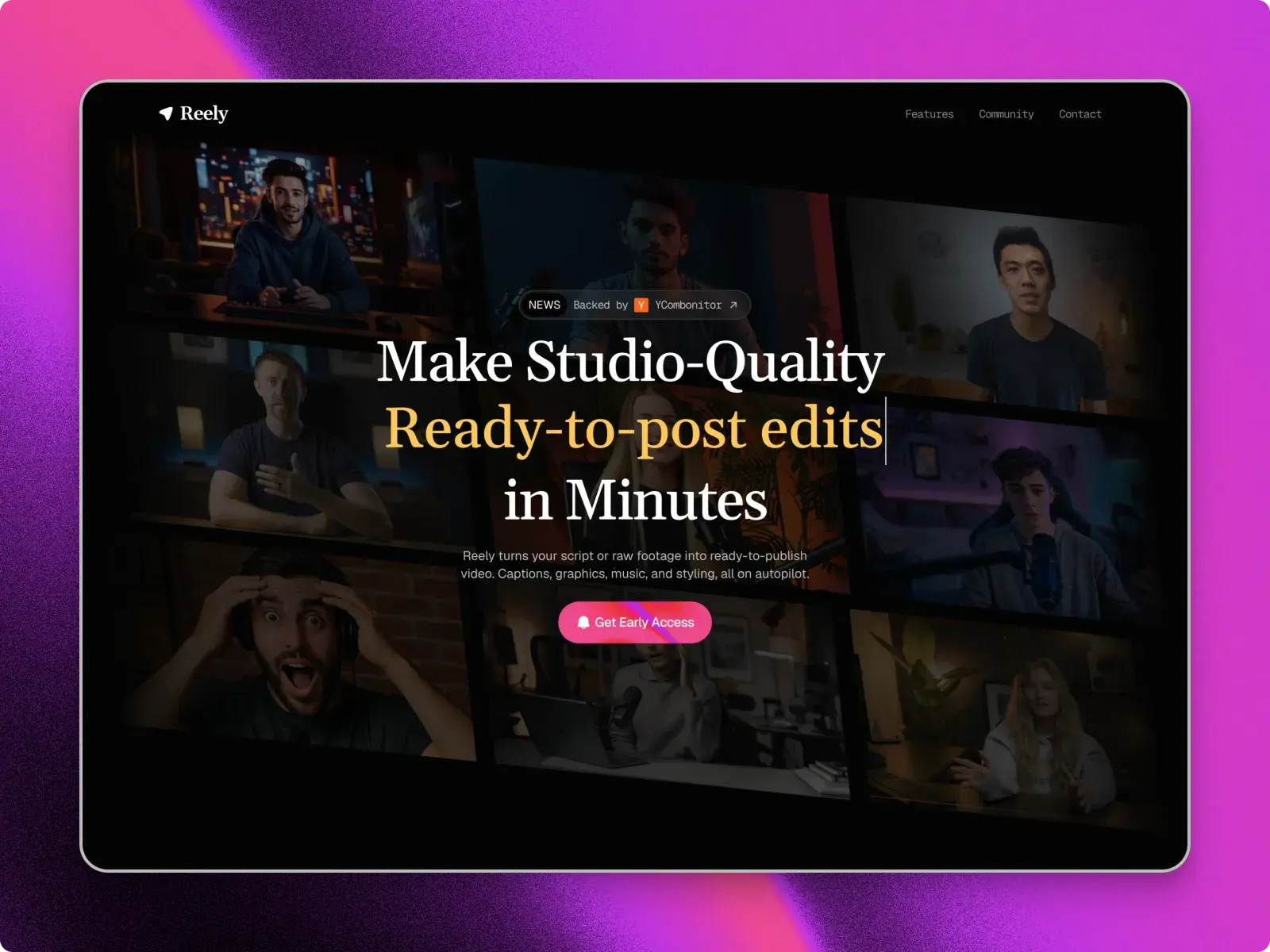
The Reely home page at each breakpoint, captured from the published site. Each layout is set separately, not scaled down.

Desktop, 1440 pixels
Tablet, 810 pixels
Phone, 390 pixels

Everything in Reely

Pages are listed from the published site's own sitemap.

Pages

8
  • Home
  • Pricing
  • Community
  • Contact
  • Signup success
  • Terms
  • Privacy
  • 404

With it

  • The templateA Framer remix link
  • UpdatesLifetime
  • Framer ProThree months on an annual plan when you publish
  • SupportUnlimited

Design system

  • FontsGeist Mono, Geist, Gelasio
  • Palette#040304#391F34#BB6E8C#6D3B55#E7C3E4
  • BreakpointsDesktop, tablet and phone

Built in

  • CopyWritten for an AI waitlist, not generic SaaS
  • PagesPricing, community, contact and a signup success page
  • LayoutsHand-tuned for desktop, tablet and phone on every page

CMS

  • Testimonials
  • FAQ

What the licence lets you do

Free

Free

  • Use it for your own sites, including commercial ones.
  • Use it for client work, as part of a site you build for them.
  • Change anything in it.
  • Sell, share or give away the template itself.
  • Post it on another marketplace or template site.
  • Use it to make templates or components that compete with it.
  • Present it as your own original work.

A plain summary. The binding text is Framer's Community Terms, and the licence page explains both. Read the licence

Before you buy

What do I get with Reely?

The whole site as a Framer project: 8 pages, 2 CMS collections, laid out for desktop, tablet and phone. Leave your email and the remix link is sent to it; Framer copies the site into your workspace.

How do I make it mine?
  1. Open the remix link. Framer copies the whole site into your workspace.
  2. Change the text, images and colour styles in the Framer editor.
  3. Publish to a free Framer address, or connect your own domain on a paid Framer site plan.
Do I need to write code?

No. Text, images, colours and CMS entries are all edited in place in the Framer editor.

Can I use it on more than one website?

The Free licence covers your own sites and client work. The licence page has the details.

What if I get stuck?

Write to support@openfile.pro. Replies come within 48 hours on weekdays, and setup questions and bugs in the template are covered.

Does Reely have a blog?

No. Reely's two CMS collections hold its testimonials and its FAQ, and it has no blog or article pages. For a SaaS or AI site with a blog on the CMS from day one, look at Nixa or Talos.

Can Reely take sales enquiries as well as sign-ups?

Yes. The waitlist forms ask only for an email, while the contact page has a separate sales form asking for a name, work email, company, team size and a message, with an opt-in for product updates. In the sample, the third plan on the pricing page has a Talk to Sales button.

Is Reely only for AI video tools?

No. The sample copy is for an AI video editor, which is why the before-and-after demo compares two versions of one clip. The sections follow a path that suits any AI or SaaS product: the problem, a comparison, the demo, features, proof, the team and an FAQ, all leading to one signup. Rewrite the words and swap the media in the Framer editor.